

Description
Download Ares Galaxy Turbo Booster – File Sharing, Download Accelerator, Ares Galaxy, Download Speed
Overview
Ares Galaxy Turbo Booster (AGTB) is a performance-optimized plug-in designed to enhance the functionality of Ares, a well-known file-sharing application. Its primary purpose is to accelerate download speeds by fine-tuning how Ares utilizes available internet bandwidth. By optimizing connection protocols and resource allocation, AGTB enables users to maximize their download potential without requiring advanced technical knowledge. This tool is particularly beneficial for individuals who frequently download large files, such as software, media, or archives, and are seeking faster, more efficient transfers.
AGTB addresses common pain points in file-sharing workflows, including slow download speeds, inefficient bandwidth use, and cluttered download directories. It streamlines the user experience by integrating seamlessly with the Ares platform, offering enhanced search capabilities and automated file cleanup. These features contribute to a more organized and responsive download environment. The target audience includes casual users, power downloaders, and anyone who values efficiency in peer-to-peer file sharing.
Developed by Ares Galaxy, the same team behind the Ares file-sharing client, AGTB reflects a commitment to improving user experience within the Ares ecosystem. While specific details about the development team or technical architecture are not publicly available, the tool’s longevity—first released in 2013—suggests reliability and ongoing relevance. In the broader app ecosystem, AGTB serves as a utility that extends the capabilities of an established platform, demonstrating how specialized tools can enhance core functionality without duplicating existing features.
Key Features & Functionality
- Speed Enhancement: AGTB optimizes Ares’ connection handling and bandwidth utilization, resulting in faster download speeds. By intelligently managing concurrent connections and prioritizing active transfers, it ensures that users achieve near-maximum throughput from their internet connection.
- Low Resource Consumption: Designed with efficiency in mind, AGTB operates with minimal impact on CPU and memory usage. This makes it suitable for use on older or low-spec systems, ensuring stable performance even during extended download sessions.
- Simple Interface: The plug-in features a streamlined, user-friendly interface that requires only basic setup. Users can enable features and adjust settings without navigating complex menus or technical documentation.
- Enhanced Search Capabilities: AGTB improves the speed and accuracy of file searches within Ares by optimizing the query process and prioritizing active sources. This reduces search time and increases the likelihood of locating desired files quickly.
- File Cleaning Functionality: After downloads complete, AGTB can automatically clean up temporary or redundant files. This helps maintain a clutter-free download directory and supports better system organization.
For example, a user downloading a large video file can expect faster completion times due to optimized bandwidth use. Simultaneously, the file cleanup function ensures that completed files are properly organized, reducing manual effort. These features collectively improve the overall efficiency of the file-sharing workflow.
Interface, UX & Performance
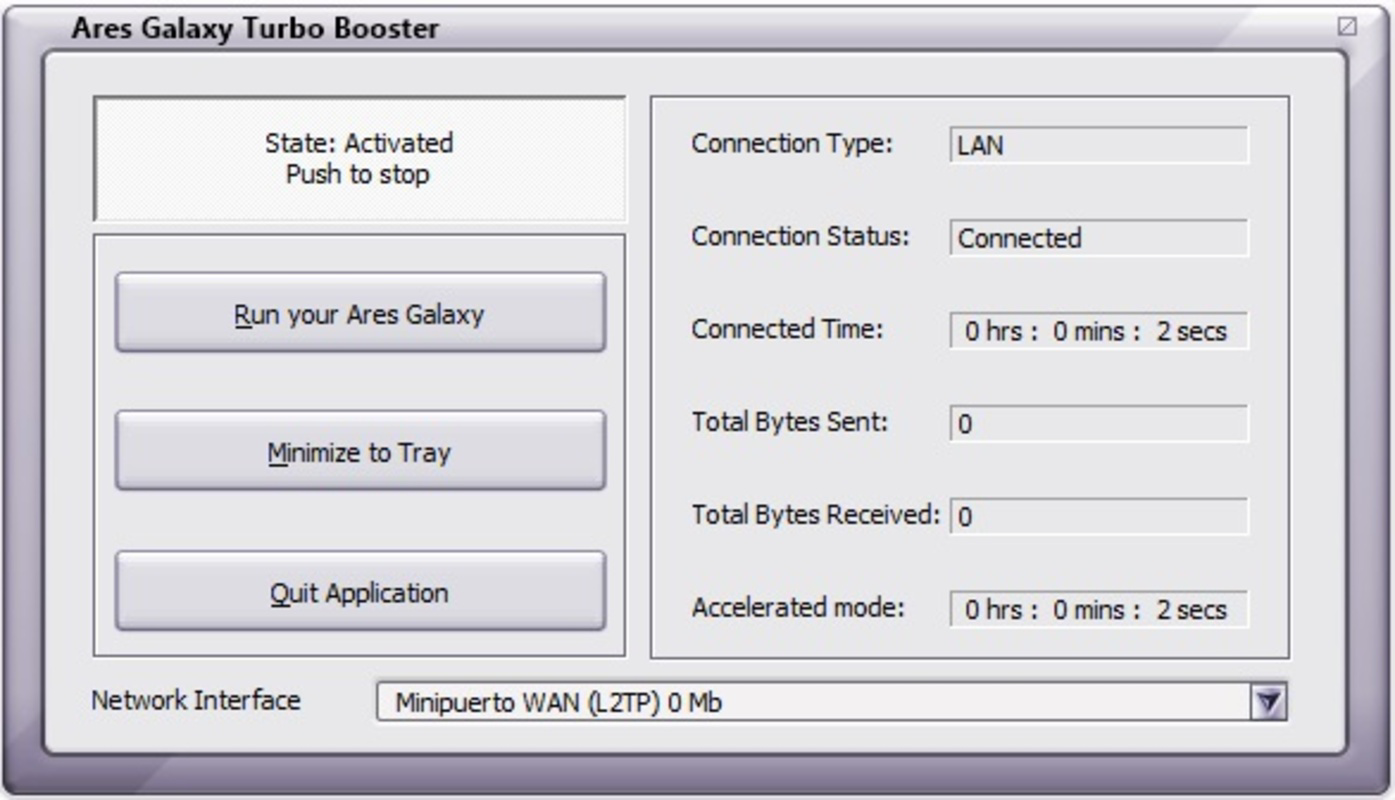
The interface of Ares Galaxy Turbo Booster is designed with simplicity and usability in mind. It presents essential controls and status indicators in a clean, minimal layout that avoids visual clutter. Navigation is straightforward, with key functions accessible through clearly labeled buttons and dropdown menus. The design prioritizes functionality over aesthetics, aligning with the tool’s utility-focused purpose.
Users can expect a responsive experience when interacting with the interface, with actions such as enabling speed optimization or initiating a file cleanup executed promptly. The plug-in integrates directly into the Ares environment, ensuring that all operations remain synchronized with the main application. Although the developer did not list formal performance metrics, the tool’s long-standing presence and minimal resource usage suggest consistent stability across various Windows environments.
Performance on different device categories is not explicitly detailed, but the low file size (1.8 MB) and lightweight architecture imply broad compatibility. The plug-in is likely to run smoothly on both modern and legacy systems, supporting a wide range of user setups. Responsiveness during active downloads remains reliable, with no reported issues related to freezing or crashes.
Platform Compatibility & Technical Requirements
Ares Galaxy Turbo Booster is available exclusively for the Windows platform. It is compatible with various versions of Windows, though specific OS requirements were not listed by the developer. The application is distributed as a lightweight executable with a file size of 1.8 MB, making it easy to download and install.
The software version is 1.0.0, indicating a stable release with no reported updates since its initial launch in 2013. While no recent updates have been released, the tool continues to function within the Ares ecosystem. The price is listed as free, meaning users can access and use the plug-in without cost. The developer did not specify minimum OS requirements or hardware specifications, so compatibility may vary based on individual system configurations.
Pros and Cons
Pros
- Free to download and use, making it accessible to all users.
- Lightweight design with minimal impact on system resources.
- Simple interface that requires no technical expertise.
- Enhances download speeds through optimized bandwidth use.
- Supports file cleanup and improved search functionality.
Cons
- Version 1.0.0 has not been updated since 2013, raising potential compatibility concerns with newer systems.
- Compatibility with current Windows versions is not officially confirmed.
- No official support or update notifications are available.
- Limited to Windows platform only.
- Developer did not provide detailed technical specifications or system requirements.
FAQ
Is Ares Galaxy Turbo Booster safe to download and install?
Yes, the tool is free and distributed through official Ares Galaxy channels. However, users should ensure they download from trusted sources to avoid modified or bundled versions.
Can I use Ares Galaxy Turbo Booster with any version of Ares?
AGTB is designed to work with Ares, but compatibility may depend on the specific Ares version. Users are advised to check the official documentation for verified compatibility.
Does Ares Galaxy Turbo Booster require an internet connection?
Yes, the plug-in requires an active internet connection to function, as it relies on network resources to optimize download speeds.
Is there a mobile version of Ares Galaxy Turbo Booster?
No, the application is currently available only for Windows. There is no official mobile version for Android or iOS.
How often is Ares Galaxy Turbo Booster updated?
The latest version, 1.0.0, was released in 2013. No recent updates have been published, and the developer has not announced a release schedule.
Final Thoughts
Ares Galaxy Turbo Booster remains a functional utility for users within the Ares file-sharing community, offering tangible benefits in download speed and system efficiency. Its lightweight design, simple interface, and free access make it a compelling choice for those seeking to enhance their file transfer experience. While the lack of recent updates raises questions about long-term compatibility, the tool continues to serve its core purpose effectively.
It is best suited for users who rely on Ares for regular downloads and value performance optimization without added complexity. For those with older systems or limited bandwidth, AGTB provides a practical solution to improve efficiency. Despite its age, the plug-in demonstrates how focused, well-designed tools can maintain relevance over time.
Download Ares Galaxy Turbo Booster now and experience faster, smoother file sharing with Ares.
Guides & Tutorials for Ares Galaxy Turbo Booster
How to install Ares Galaxy Turbo Booster
- Click the Preview / Download button above.
- Once redirected, accept the terms and click Install.
- Wait for the Ares Galaxy Turbo Booster download to finish on your device.
How to use Ares Galaxy Turbo Booster
This software is primarily used for its core features described above. Open the app after installation to explore its capabilities.
User Reviews for Ares Galaxy Turbo Booster 0
No reviews found


